I get it, Microsoft is trying to take over the world and our descent in Windows 11 is the last straw. With the new computers we’re going to have to buy, they’ll soon be logging our toilet habits and how often we cut the grass, all in a great master plan to keep us docile and obedient.
OK, so I’m exaggerating somewhat. I’ve read some pretty hair-raising stuff about Microsoft’s plans for world domination, but fortunately I don’t believe everything I read on the Internet. Sure, I’d love to move to Linux, or something similar, but life is too short to waste on the techie-heaven of Unix-inspired products, wonderful though they may be. I’m also sharing a house with people who will happily give up some independence to Microsoft if it means they can watch their favourite videos, or upload decades-old pictures to the cloud, with little or no additional techie knowhow. Much as the anti-Windows crowd will call me, us, slaves to the ‘Soft, frankly we don’t care enough to be concerned.
All that said, I am a little miffed that three perfectly serviceable PCs in our house only have a year to struggle on using Windows 10. Two of the offending PCs are Microsoft Surface laptops, which tends to rub salt into the wound. However, doing a little digging, I realise that my outrage is perhaps a wee bit premature.
The HP desktop that can’t move to Windows 11 is eight years old, and the Surface laptops are seven and six years old, which in PC terms is geriatric. Sure, they’re all still working, but like cars, we tend to like a new one every now and again (acknowledging that not everyone can afford a car, let alone a new one every few years), and PCs are nothing like the cost of a new car. Is it just that because we’re being told we need a new PC that we’re resisting? It might just be the case.
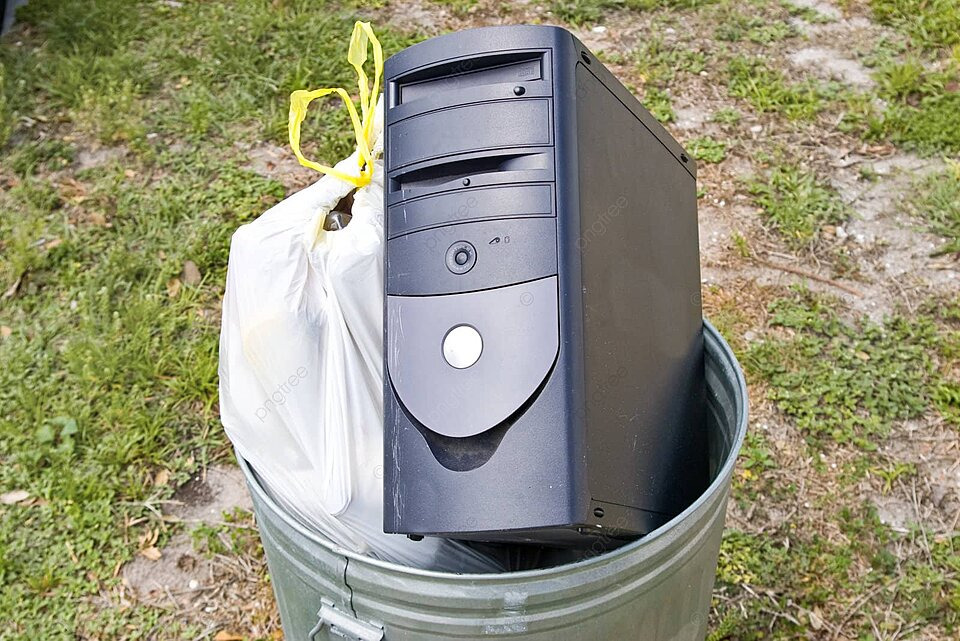
I’ve signed up the three PCs for Windows 10 security updates and will look at getting new kit in the New Year, but I think, honestly, I should have been doing that anyway. That big old HP desktop is working now, but who is to say that it’ll keep going? They’re fickle things, Personal Computers.
So maybe Microsoft is doing me a good service here?
To the folks who worry about data collection and control, I’ll say this; check your phone’s habits before you worry about your PC.
As a final note, anyone suggesting that we move to Apple products can either send me the money to buy the overpriced hardware and software, or stay in their lane.
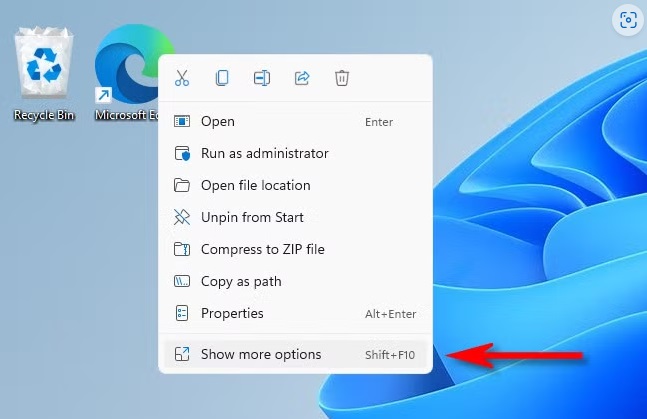
Now, how do I get that Windows 10 context menu back…
Having penned a very long-winded story about the UK Government’s distaste for window envelopes last time, I thought I might jot down a few other, largely silly, experiences I had in my thirty-four years of Government employ.
I joined in 1977 as a clerk, taking myself off to the big city (London) to push bits of paper around for the Ministry of Defence (MoD). Now this won’t be a story to match Pete Hesgeth’s security breaches in the US DoD, because although I had worked in some sensitive areas occasionally, most of my time at the MoD I spent pushing bits of innocuous paper around, or pressing buttons on computers, that were as far removed from Government secrets as you could get. Anyway, I have signed the Official Secrets Act, a Government NDA, so it’ll be all very bland.
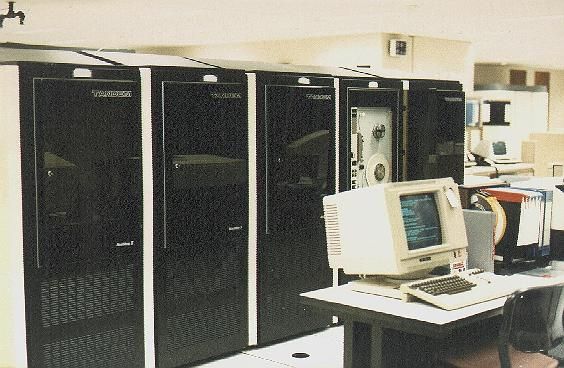
In the early 1990s, I was working on a computer system that was networked around the UK’s Royal Navy holdings, including some of their ships. It was convenient to put the land-based nodes for this system in underground bunkers, mostly to protect against an electromagnetic pulse (EMP), deliberate or otherwise, and it was to one of these holes in the ground in Scotland that we were sent to install a software upgrade. If I tell you we were using reel-to-reel tapes for the magnetic media, you get an idea that this was not a fancy, James Bond type computer, but an old, old system.
Similar, but newer…
The bunker at this site was a WWII construction, quite deep and a veritable rabbit warren of little passages and low-ceilinged rooms. The computer was in a small space, and with extra people working in there, the cooling system began to struggle a bit. Consequently, once we’d mounted the tapes and set the update running, my coworkers and I retired to our beds on the surface for the night.
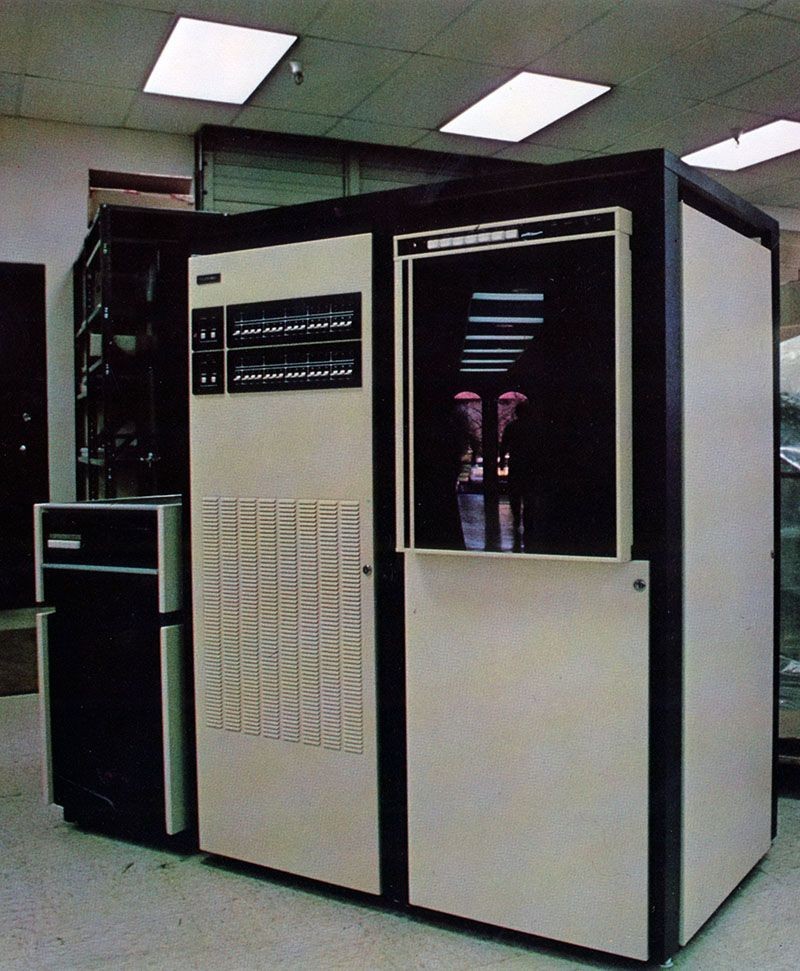
Oh my! One of the systems we were working on, although not the actual one of course.
At 1am we were paged because the update wasn’t working well and the temperature and humidity in the computer room was causing concern. When we arrived to see what was happening, there was an HVAC guy already there, with his young sidekick. We checked the update, it needed restarting, and just as we had the tapes whirring again, the HVAC guy said he wasn’t happy with the temperature. He asked his sidekick to power-off the cooler so he could check things out, and all of a sudden all the power went off. The computer, complete with updates running, stopped, and the lights went out. We stood in total darkness, in complete silence, for about fifteen seconds before the emergency lights kicked and we wondered what on earth we were going to do. The HVAC guy meanwhile was apoplectic, in a serious rage, because it turned out that his sidekick had hit the emergency power kill switch for the entire computer area rather than the switch for the cooler. What it meant for him was another hour while he reset his cooling system, which was another hour away from his lovely warm bed.
We knew we were in for a long night, but fortunately the power was restored quickly, the cooler ran up smoothly and we were able to get the update restarted for the third time that night.
One of our number stayed while the update ran this time, but the rest of us went back to bed. It was with some trepidation that we went back underground at 8am, but our night watchman was perfectly happy because the update worked. He was even happier because some nice sailors that worked there had found him a nice bacon sandwich and a cup of coffee.
I love a happy ending.
As a postscript, I discovered that the Scottish underground bunker that we’d spent part of night working in had been decommissioned in the early 2000s. Not only that, it had been filled in, and there is now a bunch of new houses sat atop it. I wonder if the owners of the houses know what was once beneath their feet?
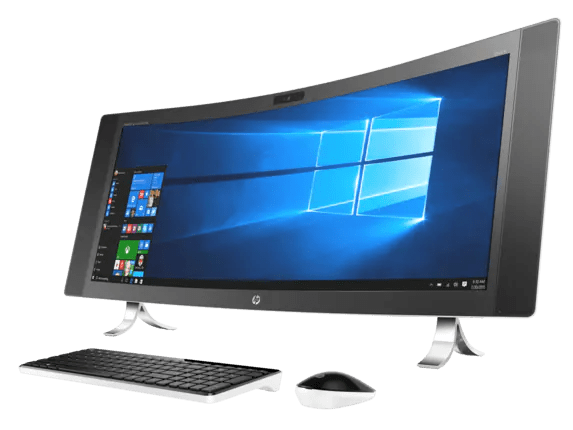
My old PC, an HP all-in-one with a 34″ curved screen, was showing signs of imminent failure. Microsoft Blue Screens of Death started happening with WHE (Windows Hardware Error) codes, and the screen started to get intermittent yellow lines on it, from top to bottom, and none of that looked good. The old girl had to have been at least seven years old and didn’t really owe me anything, so I thought I’d pension her off before she turned up her digital toes. It’s a bit sad because I’d done some good upgrades, including replacing the original 150GB Solid State Drive (SSD), that was supposed to be the boot drive with a 1TB upgrade, and I swapped out the old 1Tb mechanical hard disk for a 1Tb SSD. That upgrade on the mechanical hard drive was a bit of disaster because I managed to damage the LCD screen when putting it all back together, and lost an inch of visible screen on the left side, and suffered a growing dark stain over about a third of the bottom of the left-hand side of the screen. It was still useable, especially as the screen was so big, but the problem was getting worse.
The HP all-in-one cost me an arm and a leg when I bought it, and right now I don’t have the cash to lay out for a similar system, so I downsized. Now it’s an HP all-in-one with a 27″ screen, but with a bit more memory and slightly faster processors than the old PC. Happily, it cost less than one third of the old machine, which pleased me greatly. My needs are fewer these days, so I’m quite content with the downgrade. Anyway, I can see my desk again, now.
Buying a new PC is quite easy. I shopped around, checked out a few early Black Friday deals and settled on the new HP, direct from HP Canada. I managed to get nearly $700 off the list price, so that was the clincher. I ordered it on the Tuesday night, and I had it in my grubby little hands on Friday afternoon, which was pretty much Amazon speed. Alarmingly, HP Canada proudly boasts Canadapost and Purolator as its partners, which was a quite concerning given that Canadapost is on strike right now. However, it didn’t appear that Purolator was involved in the strike, even though it’s the parcels arm of Canadapost, and I was mightily relieved to see the Purolator van pull up outside my house.
The packaging of the computer was quite ingenious, and the way it was all fitted into the box, meant that because I followed the instructions properly, I didn’t have to handle the screen while getting it out from all the padding. Take it from one who has manhandled a 65″ thin screen TV onto a wall, that’s a real bonus. The keyboard and mouse were both wired models, actually perfect for my needs, and battery-free, but they are very cheap and cheerful, so it hasn’t taken me long to replace those with better models that I had knocking around at home.
Then I began the set up process. Years ago when I was in IT support, I installed hundreds of software packages onto hundreds of PCs, and all using boxes full of floppy disks. It was a slow and painful business, and done at a time when very few PCs had an Internet connection, or even a Local Area Network. Compuserve was our friend back then, but only on the PC that had a modem and telephone line attached. Today, all I had to do was plug a network cable into the back of the PC and let it do its thing. The PC came with Windows 11 pre-loaded, but that all has to be updated and tweaked, but even then I had the thing working within a few minutes and was downloading all the paid software I have collected over the years. I could have cloned the boot disk from my old machine as it was the same size, but doing it the long way, by treating it as a first-time set up, I’ve been able to leave things out and make a few adjustments. A clean start is a good start, even if it takes a little longer.
Early impressions of the new PC are good. The screen resolution isn’t as tight as I’d like, and I could probably tighten it up a little, but I’ll leave it as it is because I’m sure to get used to it. I did hang a second monitor from the PC, and marvelled at how easy it is to do these days with an HDMI cable and Windows 11. The boot up is fast, and the response is good, although as so much is done through the Internet these days, it’s as much about having a decent connection as it is about the speed of the computer. I am slowly switching off all the little things that Windows likes to add, the bells and whistles as it were, that I have no need for. The very first thing I did was revert the right-click context menus to the Windows 10 version. The newer iteration of Windows uses little pictograms for Cut, Copy, and Paste, and if you want a full context menu you have to select it from the top menu, a retrograde step in my view. It seems that there are many Windows users out there who think the same as I do, though, because when you Google “Windows 10 Context Menu”, there are thousands of hits showing you how to achieve your aim. Perhaps Microsoft should take note and offer a choice of context menus at startup?
It’s probably an age thing, but I don’t get the use of so many pictograms in place of the written words. The Windows symbol for “Crop”, for example, means nothing to me. Sure, use the symbol, but put the word “Crop” underneath it for those of us that can read. It’s not just Microsoft, though, smartphone-based Millennials have been brought up on using pictures rather than words, and it’s they who are writing today’s software. Won’t anyone think of the old folk?
Time will tell if the new PC is up to the job, and I do intend to work it quite hard. For now, though, I will sit back and reflect on how all those years of setting up computers at work have proved to be very useful in retirement, even if I don’t need floppy disks anymore.
I had an e-mail a couple of weeks ago that came with a PDF file. In that file was a letter to me from someone I didn’t know, claiming that they knew things about me and that my “secrets” would be made public if I didn’t send some money to them. Given that the street address, phone number and e-mail address was correct, it was a little frightening. Or it would have been but for some fundamental errors in the letter.
The first error was that they thought the phone number they were quoting was a cell phone, which it wasn’t. Threatening to put all manner of malware on my phone wasn’t going to work on an old fashioned landline. Then there was the issue of the person claiming to “see” inside my home, presumably through a camera on a computer or my cell phone, but that can’t happen with my computer and phone set up at home. Having access to my computer was another claim, and while I can’t claim to have the most secure set up, I do take precautions and I’m confident that no one has access to my computer, at least not that I’m not aware of. But, armed with some genuine information, data that is actually publicly available or maybe had been gleaned from a data breach somewhere, someone has attempted to extort money from me.
I toyed with reporting the matter to the Police, but the e-mail address was not traceable, and while they may have investigated, it would have taken a long time and probably revealed nothing. So, I deleted the e-mail, and the PDF file and awaited further contact.
The issue here is that if you’re not particularly tech-savvy, you might take this kind of threat seriously and be goaded into parting with money. Push out a ton of these letters and you’ll get some return from your efforts, I’d guess. The world can be a dark place sometimes.
What the incident did do, though, was prompt me into reviewing my online security arrangements. I subscribe to three different security packages covering phones and PCs. They were all up to date and reporting nothing untoward, which was good. I made sure all my Operating Systems were updated, too, as they are the front line of security. I also use a Virtual Private Network (VPN), at least some of the time, although I’ve found that online functionality can suffer with the VPN running, at least when working with certain software, or on certain websites. Where I lacked security, and it’s not directly associated with the attempted extortion, was with passwords. I had used the same passwords across a broad range of online accounts, and while not having had an issue so far, I thought it was time to tidy that up. With the use of a paid third-party password manager, I revisited all my online accounts, changed the passwords where I needed to, and took advantage of the additional protection the password manager software gave me. I looked back through the password records of my web browsers and was amazed to find data going back years. While the browser providers will always assure you that this data is safe, it is information that could be compromised, so I’ve stripped that data right down and now the browsers carry no significant password data. Changing passwords regularly is a must, anyway, and made easier with the use of the password manager. As an added layer of protection, I’ve gone to using just a single browser, rather than the chopping and changing browsers as I’ve been doing. There are issues with that, “all the eggs in one basket” so to speak, but at least I don’t have more than one Browser password file to manage now
No word back yet from my extortioner, and the original contact was a month ago. There have been no notified attacks on my computers, either, so it’s looking like it was a fishing trip. Obviously you never engage with people like that, but if I did I’d than them for boosting my online security, it’s been a very productive exercise





 Stevemayne's Blog